Table of Contents
ToggleSmart home technology has matured from gimmick to genuine utility, but piecing together a system that actually works for your household takes more than buying the highest-rated gadgets on Amazon. A smart home consultation, whether from a professional or a structured DIY approach, helps homeowners avoid compatibility headaches, wasted budget, and a drawer full of abandoned devices. This guide walks through what a consultation involves, how to assess your home’s readiness, and the questions that separate a coherent system from a collection of expensive bricks. Whether hiring help or going solo, proper planning up front saves time, money, and frustration down the line.
Key Takeaways
- A smart home consultation prevents costly compatibility issues by mapping devices, communication protocols, and infrastructure needs before purchase, whether done professionally ($150–$500) or as a DIY assessment.
- Infrastructure assessment—checking Wi-Fi coverage, electrical panel capacity, and neutral wires in switch boxes—is critical; skipping this step leads to wasted purchases and retrofit expenses.
- Choose one primary ecosystem first (Alexa, Google Home, HomeKit, or SmartThings), then verify each device’s compatibility before buying to avoid the impulse-purchase trap that creates orphaned gadgets.
- Router capacity and Wi-Fi performance directly impact smart home success; cheap routers max out at 20–30 devices, so upgrade your network backbone before expanding to 50+ connected devices.
- Phased budgeting—foundation ($500–$1,500), expansion ($1,000–$3,000), and integration ($2,000–$10,000)—allows homeowners to prioritize high-impact devices like thermostats, locks, and cameras while spreading costs and learning curves over time.
- Matter-compatible devices future-proof systems by working across multiple platforms; combined with local control options and security best practices (two-factor authentication, separate IoT networks), they create resilient, adaptable smart home setups.
What Is a Smart Home Consultation and Why You Need One
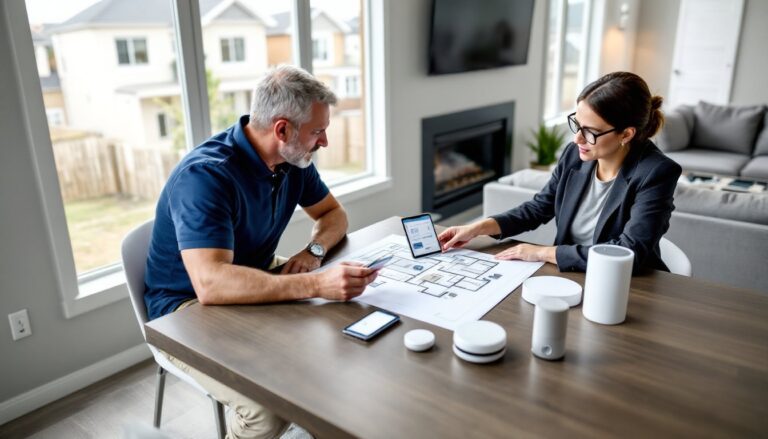
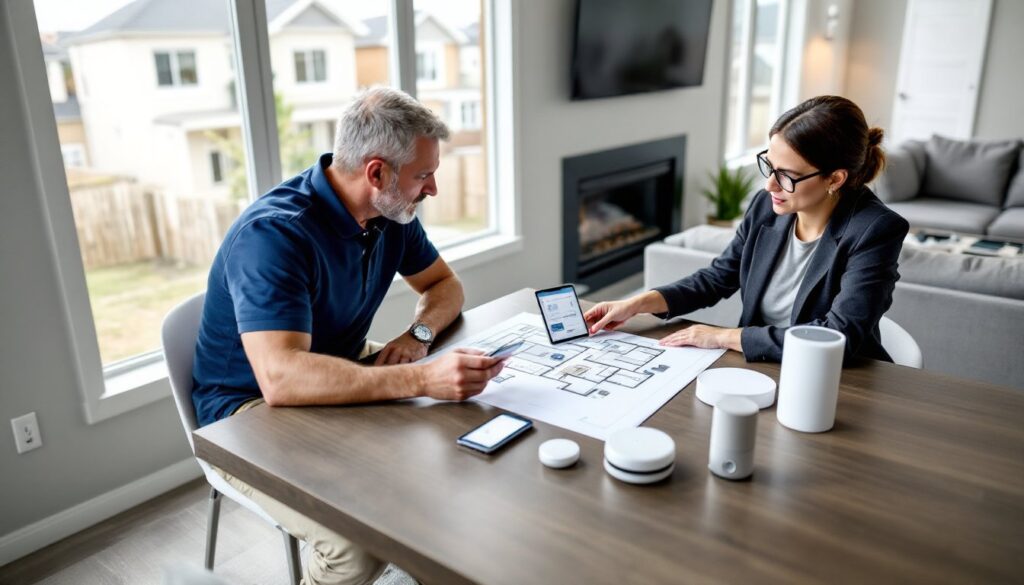
A smart home consultation is a planning session, typically one to three hours, where a consultant or the homeowner maps out which devices will be installed, how they’ll communicate, and what infrastructure changes are needed. It’s not a sales pitch for a specific brand. Instead, it’s a technical assessment paired with lifestyle questions to match technology to actual habits.
Most consultants evaluate Wi-Fi coverage, electrical capacity, existing wiring (especially for thermostats, doorbells, and security systems), and whether a home needs a dedicated hub or can run on a hub-free ecosystem like Matter or Thread. They’ll ask about daily routines, security priorities, energy goals, and who lives in the home (kids, elderly family members, pets).
Why bother? Because smart home ecosystems are fragmented. A Ring doorbell won’t natively talk to a Nest thermostat without workarounds. Zigbee devices need a hub. Z-Wave devices need a different hub. Wi-Fi devices can overwhelm a router if there are too many. A consultation identifies these conflicts before money is spent. It also flags code issues, hardwired smoke detectors, for example, often can’t be replaced with smart versions without an electrician and a permit in many jurisdictions.
Professional consultations typically cost $150 to $500, depending on home size and complexity. Some integrators waive the fee if the homeowner hires them for installation. DIY consultations cost nothing but time, and require assignments.
What to Expect During Your Smart Home Consultation
A structured consultation follows a predictable flow. The consultant (or the homeowner doing self-assessment) starts with a walkthrough, noting device locations, power sources, and pain points. They’ll measure Wi-Fi signal strength in every room, check the router’s age and specs, and identify dead zones.
Next comes the interview: What do you want automated? Lighting, climate, security, entertainment, blinds, locks, irrigation? What frustrates you about your current setup? Do you want voice control, app control, or both? Are you comfortable with cloud-dependent devices, or do you want local control for privacy?
The consultant then drafts a system map, a diagram showing which devices go where, how they connect (Wi-Fi, Zigbee, Z-Wave, hardwired), and what backbone infrastructure is needed (mesh router, smart hub, Ethernet drops). This map also flags potential issues: a metal-sided home that blocks wireless signals, a circuit panel at capacity, or a lack of neutral wires in switch boxes (required for most smart switches).
Assessing Your Home’s Current Infrastructure
Infrastructure assessment is where most DIYers get tripped up. Start with the electrical panel. Count available breaker slots and note the amperage. If the panel is full or still using fuses, an upgrade may be needed before adding powered devices like smart garage door openers or electric vehicle chargers.
Check switch boxes for neutral wires, usually a bundle of white wires twisted together with a wire nut. Older homes (pre-1980s) often lack neutrals in switch boxes, which rules out most smart switches unless you install an add-a-wire adapter or hire an electrician.
Test Wi-Fi coverage with a phone app like NetSpot or WiFi Analyzer. Walk every room and note signal strength. Anything below -70 dBm is marginal for reliable smart device operation. Thick walls, metal studs, and concrete floors all kill Wi-Fi range. Solutions include mesh routers, wired access points, or switching to Zigbee/Z-Wave devices that form their own mesh networks.
Key Questions to Ask Your Smart Home Consultant
If hiring a professional, ask these questions before signing anything:
-
What ecosystems do you recommend, and why? A good consultant explains trade-offs (Apple HomeKit for privacy, Google Home for voice recognition, Amazon Alexa for device compatibility, Samsung SmartThings for flexibility). Be wary of anyone pushing a single brand without justification.
-
Do you install hardwired or wireless devices? Hardwired systems (like Control4 or Crestron) are rock-solid but expensive and inflexible. Wireless systems are cheaper and easier to expand but depend on stable Wi-Fi or hub mesh networks.
-
What happens if a device or service shuts down? Many smart home startups fold or get acquired, bricking their hardware. Ask how the system handles obsolescence. Local control options (like Home Assistant or Hubitat) are more future-proof than cloud-only platforms.
-
Will this system work if the internet goes out? Cloud-dependent devices stop responding if the ISP has an outage. Systems with local control (Zigbee, Z-Wave, or local hubs) continue functioning.
-
What’s the warranty and support model? Some integrators offer annual service contracts: others disappear after installation. Get it in writing.
-
Can I add devices myself later? Proprietary systems may require the installer to return for every change, racking up service fees. Open platforms let homeowners expand on their own. Professional smart home consultants often provide detailed system documentation, though many homeowners successfully design setups using planning resources that break down compatibility and feature sets.
DIY Smart Home Consultation: Steps to Plan Your Own System
DIYing a consultation requires methodical documentation. Start by creating a room-by-room spreadsheet listing every device you want to automate: lights, switches, outlets, thermostats, cameras, locks, sensors, speakers.
For each device, note:
- Power source (battery, hardwired, plug-in)
- Communication protocol (Wi-Fi, Zigbee, Z-Wave, Bluetooth, Thread)
- Hub requirement (standalone, needs hub, works with existing hub)
- Integration compatibility (works with Alexa, Google, HomeKit, etc.)
Next, audit your network. Count the number of connected devices already on your Wi-Fi (phones, laptops, tablets, TVs, game consoles). Add the planned smart devices. If the total exceeds 50 devices, consider a mesh router system or a separate network for smart home traffic. Routers like the TP-Link Deco or Eero Pro can handle 100+ devices, while older single-unit routers choke at 25–30.
Map your home’s electrical layout. Identify which switches control which lights, where outlets are on each circuit, and where you have access to attic or crawl space for running new wire. This matters for hardwired smart switches, under-cabinet lighting, or powered sensors.
Research device compatibility using the Works With pages on manufacturer sites. For example, a Philips Hue bulb works with Alexa, Google, HomeKit, and SmartThings, but a generic Tuya bulb may only work with Alexa and Google. Homeowners exploring beginner smart home setups often start with a single ecosystem to avoid compatibility issues. Build your plan around one primary platform, then verify each device is compatible before purchasing.
Budgeting for Your Smart Home Project
Smart home costs vary wildly based on scope and install method. A basic DIY starter system, smart lights, a video doorbell, a smart lock, and a voice assistant, runs $300 to $600. A whole-home system with lighting control in every room, multi-zone HVAC, security cameras, and integrated entertainment can hit $10,000 to $30,000 with professional installation.
Break the budget into phases:
Phase 1: Foundation ($500–$1,500)
Router upgrade, smart hub (if needed), voice assistant, and one or two high-impact devices (smart lock, video doorbell, or thermostat).
Phase 2: Expansion ($1,000–$3,000)
Smart lighting (switches or bulbs), additional cameras, sensors (door/window, motion, leak), and smart plugs.
Phase 3: Integration ($2,000–$10,000)
Multi-room audio, motorized blinds, smart garage door openers, irrigation controllers, and automation routines that tie everything together.
Don’t forget ongoing costs. Cloud storage for security cameras runs $3 to $10 per camera per month. Some smart locks require proprietary batteries. Voice assistants may push subscription services for advanced features. Factor in $100 to $300 annually for subscriptions and consumables.
Professional installation adds $75 to $150 per device for labor, plus markup on hardware (typically 20–40%). DIY saves money but costs time and assumes comfort with basic electrical work and network troubleshooting. Homeowners weighing smart home upgrades should prioritize devices that solve real problems (a smart thermostat that cuts HVAC costs, a leak sensor near a water heater) over novelty gadgets that collect dust.
Common Smart Home Consultation Mistakes to Avoid
The biggest mistake is buying devices before planning the system. Homeowners see a deal on a smart speaker or bulb, purchase impulsively, then discover it doesn’t integrate with their preferred platform. Buy nothing until the system map is complete.
Another error: ignoring Wi-Fi limits. Each device added to a network consumes bandwidth and a slice of the router’s device limit. Cheap routers max out at 20–30 devices. Once saturated, devices drop offline randomly, automations fail, and troubleshooting becomes a nightmare. Upgrade the router first.
Overlooking neutral wires is a classic DIY pitfall. Many homeowners buy a dozen smart switches, then open the first switch box and find no neutral wire. At that point, options are limited: return the switches, hire an electrician to run neutrals (expensive), or pivot to smart bulbs (which require the dumb switch to stay on, defeating the purpose).
Skipping security basics is dangerous. Default passwords on cameras and hubs are easily exploited. Many cheap devices phone home to servers in foreign countries with questionable privacy practices. Stick with reputable brands, enable two-factor authentication on all accounts, segment IoT devices on a separate Wi-Fi network (most mesh routers offer a guest network feature that works for this), and disable Universal Plug and Play (UPnP) on the router to prevent devices from opening ports automatically.
Underestimating the learning curve frustrates many newcomers. Smart home platforms have improved, but setting up automation routines, troubleshooting connectivity issues, and managing firmware updates still require patience and basic tech literacy. If that sounds daunting, professional installation and ongoing support may be worth the cost. Independent reviews comparing smart home consulting services can help homeowners decide whether to hire help or tackle the project themselves.
Finally, forgetting about interoperability standards. The Matter protocol, launched in late 2022 and gaining traction in 2026, promises cross-platform compatibility. Devices certified for Matter work with Alexa, Google, and HomeKit without requiring multiple apps. When possible, choose Matter-compatible devices to future-proof the system. Homeowners looking to expand systems later benefit from understanding setup fundamentals and practical integration tips that prevent costly compatibility mistakes. Local professionals listed on directories like Houzz can also provide hands-on guidance for complex installations or whole-home retrofits.
A consultation, professional or DIY, sets the foundation for a smart home that actually works. Skip it, and you’ll end up with a pile of incompatible gadgets and buyer’s remorse. Do it right, and you’ll have a system that saves time, cuts energy costs, and adapts as your needs change.