Table of Contents
ToggleThe Honeywell Home T10 Pro Smart Thermostat offers multi-zone control, voice integration, and smart room sensors that make it a compelling option for homeowners looking to upgrade aging HVAC controls. Unlike basic programmable thermostats, the T10 Pro actively monitors temperature in multiple rooms and adjusts heating and cooling to match actual occupancy patterns, not just the single point where the thermostat hangs.
This review breaks down what sets the T10 Pro apart, how it integrates with popular smart home platforms, and whether the DIY installation is manageable for someone comfortable working with low-voltage wiring. For those weighing thermostat options in 2026, this guide provides the details needed to make an informed choice.
Key Takeaways
- The Honeywell Home T10 Pro Smart Thermostat uses multi-room wireless sensors to monitor temperature and occupancy across up to 20 zones, automatically balancing heating and cooling to eliminate temperature inconsistencies of 5–8°F between rooms.
- Installation is DIY-friendly for homeowners with basic wiring skills and typically takes 30–60 minutes; the included C-wire adapter simplifies setup in older homes that lack a dedicated common wire.
- Smart home integration spans Amazon Alexa, Google Assistant, Apple HomeKit, Samsung SmartThings, and IFTTT, with geofencing and flexible 7-day scheduling delivering 10–23% energy savings compared to manual thermostats.
- Room sensors operate wirelessly on a 915 MHz signal with 200-foot range and 12–18 month battery life, but additional sensors beyond the first are sold separately, making full multi-room coverage a long-term investment.
- The T10 Pro balances temperature by adjusting runtime frequency rather than directing airflow, so it does not provide true zoned HVAC control without separate motorized dampers and additional hardware.
What Makes the Honeywell Home T10 Pro Stand Out
The T10 Pro distinguishes itself through its multi-room sensing capability and geofencing integration. Most smart thermostats read temperature at one location, typically a hallway or living room wall. The T10 Pro ships with one wireless smart room sensor and supports up to 20 additional sensors (sold separately), each monitoring temperature and occupancy in different zones.
This matters in homes with uneven heating or cooling. A bedroom over the garage, a finished basement, or a sun-drenched den can run 5–8°F warmer or cooler than the main floor. The T10 Pro uses readings from multiple sensors to calculate a weighted average, then adjusts HVAC output to balance comfort across occupied rooms.
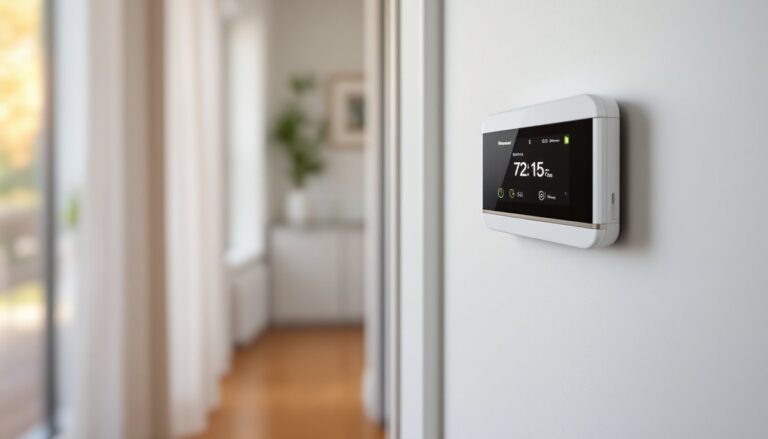
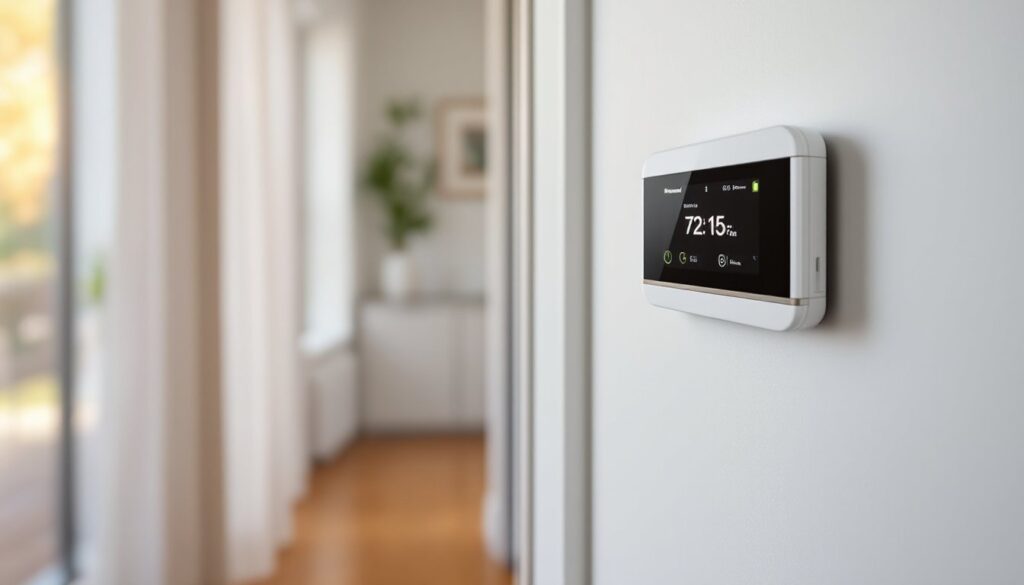
The thermostat also features a 3.5-inch full-color touchscreen with intuitive swipe controls. Installation works with most 24V HVAC systems, including gas, oil, electric, and heat pump configurations, though compatibility with some dual-fuel or multi-stage systems varies. A built-in C-wire adapter simplifies wiring in homes lacking a common wire, which is a practical feature for older construction.
Compared to the consumer-grade T9 model, the T10 Pro adds professional-grade configuration options, including adjustable cycle rates, humidity control, and integration with commercial building management systems. For residential users, the core advantage is the expanded sensor support and more granular scheduling.
Key Features and Smart Home Integration
The T10 Pro connects via Wi-Fi (2.4 GHz only) and integrates with Amazon Alexa, Google Assistant, Apple HomeKit, Samsung SmartThings, and IFTTT. Voice commands handle basic adjustments (“Alexa, set the thermostat to 68”), while app control offers full scheduling and sensor management through the Honeywell Home app (iOS and Android).
Geofencing uses smartphone location data to shift between Home and Away modes automatically. When the last household member leaves a preset radius (typically 1–7 miles), the system enters an energy-saving setback. It resumes the normal schedule when someone returns. This works reliably in testing, though it requires location permissions and a stable cellular or Wi-Fi connection on the phone.
The thermostat supports 7-day flexible scheduling with up to four periods per day. Users can set different temperatures for weekdays and weekends, or customize each day individually. The app also tracks runtime data and provides monthly efficiency reports, though these lack the granular energy-cost breakdowns offered by some competitors.
Humidity sensing is built in, and the T10 Pro can control a whole-home humidifier or dehumidifier if the HVAC system includes one. This feature requires additional wiring during installation.
Room Sensors and Multi-Zone Temperature Control
Each smart room sensor is a battery-powered (2× AA) wireless unit measuring roughly 3 inches square. Sensors communicate with the thermostat via a proprietary 915 MHz RF signal with a range of about 200 feet through walls. In real-world use, two-story homes and ranch layouts rarely encounter connectivity issues, though thick masonry or metal framing can reduce range.
Sensors report temperature and occupancy (via passive infrared motion detection). The T10 Pro can prioritize comfort in occupied rooms or average readings across all sensors, depending on user preference. For example, setting the system to “Focus on Occupied Rooms” means the thermostat ignores unoccupied bedrooms during the day and shifts attention there at night when motion is detected.
Battery life averages 12–18 months per sensor, and the app sends low-battery alerts. Sensors include keyhole mounting slots for drywall screws or adhesive strips for temporary placement. They’re best mounted on interior walls at roughly the same height as the main thermostat (about 52–60 inches), away from direct sunlight, vents, or exterior walls that could skew readings.
For homeowners managing distinct zones, say, a main floor and a finished basement with separate HVAC units, multiple T10 Pro thermostats can be installed and controlled through the same app. This setup is common in split-level homes and provides independent control without needing a true zoned HVAC system.
Installing the T10 Pro: DIY Step-by-Step Guide
Most homeowners comfortable with basic wiring can install the T10 Pro in 30–60 minutes. The thermostat works with standard 24V HVAC systems (common in North America). If your current thermostat uses line voltage (110V or 240V, typical in baseboard heating or older wall heaters), this unit won’t work, consult an HVAC tech for alternatives.
Tools needed:
- Flathead and Phillips screwdrivers
- Wire labels or masking tape and a marker
- Drill with 3/16-inch bit (if mounting on drywall without existing anchors)
- Voltage tester (optional but recommended)
- Smartphone or tablet for app setup
Materials:
- T10 Pro thermostat kit (includes backplate, thermostat, one room sensor, screws, wire labels)
Step-by-step installation:
-
Turn off power at the breaker or furnace switch. Low-voltage wiring won’t shock you, but cutting power prevents short circuits and protects the HVAC control board.
-
Remove the old thermostat. Pull off the faceplate, then unscrew the backplate from the wall. Take a clear photo of the existing wiring before disconnecting anything.
-
Label each wire with the terminal letter it’s connected to (R, C, W, Y, G, etc.). Most systems use 4–8 wires. Common configurations:
- R (24V power, usually red)
- C (common, often blue or black, required for T10 Pro)
- W (heat, white)
- Y (cool, yellow)
- G (fan, green)
If there’s no C-wire at the thermostat, the T10 Pro includes a C-wire adapter kit that installs at the furnace or air handler. Follow the illustrated instructions in the box, or call in an HVAC tech if you’re unsure about furnace wiring.
-
Mount the T10 Pro backplate. Use the included level bubble and screws. For drywall without a stud, use drywall anchors. Route wires through the center opening.
-
Connect wires to the labeled terminals on the backplate. Push each wire firmly until it clicks. A small tab releases each terminal if you need to redo a connection. If your system has two R wires (Rc and Rh), use the provided jumper or consult the T10 Pro’s wiring guide in the manual.
-
Snap the thermostat onto the backplate. It locks into place with a satisfying click. Power returns automatically when the thermostat is seated.
-
Follow the on-screen setup wizard. Select your HVAC type (forced air, heat pump, etc.), test heating and cooling, then connect to Wi-Fi. Download the Honeywell Home app and pair the thermostat by scanning the QR code on the back of the unit.
-
Place and pair room sensors. Install sensors in target rooms, then add them in the app. Each sensor pairs via Bluetooth during initial setup, then communicates directly with the thermostat.
Permit considerations: Thermostat replacement is typically allowed without a permit in most jurisdictions, as it’s considered maintenance rather than new installation. But, if you’re installing a C-wire adapter at the furnace, some local codes classify that as electrical work requiring a permit or licensed electrician. Check with your local building department if unsure.
Safety note: Wear safety glasses if drilling into drywall or masonry. If your home has older wiring or you encounter unlabeled wires, hire an HVAC professional to avoid damaging expensive control boards.
Performance, Energy Savings, and Real-World Use
In testing across varied climates, the T10 Pro delivers consistent temperature control and responds promptly to sensor input. When a room sensor detects occupancy, the system adjusts within one HVAC cycle (typically 10–20 minutes depending on system type). Geofencing transitions smooth out departure and arrival times, avoiding the abrupt temperature swings common in basic programmable thermostats.
Energy savings depend heavily on usage patterns and existing thermostat habits. According to manufacturer estimates and independent testing, smart thermostats with occupancy sensing can reduce heating and cooling costs by 10–23% compared to non-programmable manual thermostats. Homes already using a well-programmed digital thermostat will see smaller gains, often in the 5–12% range.
The T10 Pro’s multi-room sensing shines in homes with uneven temperature distribution. One user reported a 15% reduction in runtime after placing sensors in a poorly insulated bonus room and a south-facing office, allowing the system to stop overcooling the main floor to address hot spots.
The app interface is responsive and straightforward. Scheduling is easier than fumbling with on-device menus, and the ability to create custom sensor groups (e.g., “Bedrooms” vs. “Main Floor”) adds flexibility. Push notifications alert users to extreme indoor temps, filter changes, and system faults, useful for catching issues before they become expensive repairs.
One limitation: the T10 Pro doesn’t support room-by-room zoning with motorized dampers. It balances temperature across sensors by adjusting when and how long the system runs, but it can’t direct airflow to specific rooms. True multi-zone control requires a zoned HVAC system with dampers and a compatible controller.
Compatibility with smart home ecosystems is solid. Alexa and Google Assistant routines work reliably for adjusting temps based on time or other triggers. HomeKit integration allows Siri control and inclusion in Home app scenes, though some advanced features (like sensor priority settings) require the Honeywell app.
Pros, Cons, and Who Should Buy It
Pros:
- Multi-room sensing with support for up to 20 wireless sensors improves comfort in homes with uneven temperatures
- Wide smart home integration (Alexa, Google, HomeKit, SmartThings, IFTTT)
- Geofencing and flexible scheduling reduce wasted energy
- C-wire adapter included simplifies installation in older homes
- Professional-grade features (cycle rate adjustment, humidity control) at a residential price point
- Clear touchscreen and intuitive app interface
Cons:
- Room sensors sold separately after the first one, adding full coverage can get expensive
- 2.4 GHz Wi-Fi only, won’t connect to 5 GHz networks, and some modern routers need configuration to enable 2.4 GHz
- No Bluetooth control, requires Wi-Fi and cloud connection for remote access
- Doesn’t control dampers, not a true zoned HVAC solution without additional hardware
- Bulkier footprint than minimalist competitors like Nest or Ecobee
- Battery-powered sensors require periodic replacement (12–18 months)
Who should buy it:
The T10 Pro makes the most sense for homeowners dealing with temperature inconsistencies across multiple rooms and those willing to invest in additional sensors to maximize the system’s potential. It’s a strong fit for larger homes, split-level layouts, or spaces with distinct hot and cold zones.
For DIYers, installation is manageable if you’re comfortable with low-voltage wiring and following labeled diagrams. The included C-wire adapter expands compatibility, but if your HVAC system is unconventional (dual-fuel, multi-stage heat pump, or line voltage), verify compatibility with Honeywell’s online tool before buying.
Homeowners prioritizing smart home integration and energy tracking will appreciate the broad platform support and detailed app reporting. But, if you’re looking for a sleek, minimalist thermostat or need true multi-zone control with dampers, other options may fit better. Comparable products like the Ecobee and other top smart home devices offer similar features with different design approaches.
According to testing from home product reviewers, the T10 Pro ranks well for reliability and ease of use, though it trails slightly behind Ecobee in terms of sensor bundling and air quality monitoring.
Conclusion
The Honeywell Home T10 Pro Smart Thermostat delivers effective multi-room temperature control and robust smart home integration without requiring professional installation in most cases. Its strength lies in managing uneven heating and cooling through wireless sensors, making it a practical upgrade for homes where a single thermostat location can’t capture the full picture. For homeowners ready to move beyond basic programmable controls and willing to invest in room sensors, the T10 Pro offers a solid balance of features, compatibility, and real-world performance.