Table of Contents
ToggleSmart home devices have changed how people interact with their living spaces. These connected gadgets let homeowners control lighting, security, temperature, and entertainment through voice commands or smartphone apps. The global smart home market continues to grow as more households adopt this technology.
This guide covers everything readers need to know about smart home devices. It explains what they are, the most popular types available, their key benefits, and how to build a connected home system that works.
Key Takeaways
- Smart home devices connect to the internet and allow remote control of lighting, security, temperature, and appliances through voice commands or apps.
- Popular smart home devices include voice assistants, smart thermostats, security cameras, smart locks, and connected appliances.
- Smart thermostats can reduce energy bills by 10-15%, saving homeowners around $180 per year on average.
- Before purchasing, verify that new smart home devices are compatible with your existing ecosystem (Alexa, Google Home, or Apple HomeKit).
- Start with a central hub or voice assistant and add devices gradually to avoid setup confusion and identify compatibility issues early.
- Secure your Wi-Fi network and enable two-factor authentication to protect your smart home devices from potential security threats.
What Are Smart Home Devices?
Smart home devices are electronic products that connect to the internet and can be controlled remotely. They communicate with each other and with users through Wi-Fi, Bluetooth, Zigbee, or Z-Wave protocols. Most smart home devices work with a central hub or directly through a smartphone app.
These devices collect data about usage patterns and can automate tasks based on schedules or triggers. For example, a smart thermostat learns when residents leave for work and adjusts the temperature automatically. Smart home devices range from simple smart plugs to advanced security systems with cameras and sensors.
The core concept behind smart home devices is connectivity. Each device shares information with others in the network, creating an integrated system. A motion sensor can tell smart lights to turn on. A smart lock can notify the thermostat that someone has arrived home. This interconnection makes daily routines more efficient.
Popular Types of Smart Home Devices
The smart home devices market offers products for almost every household need. Here are the most common categories:
Smart Speakers and Voice Assistants
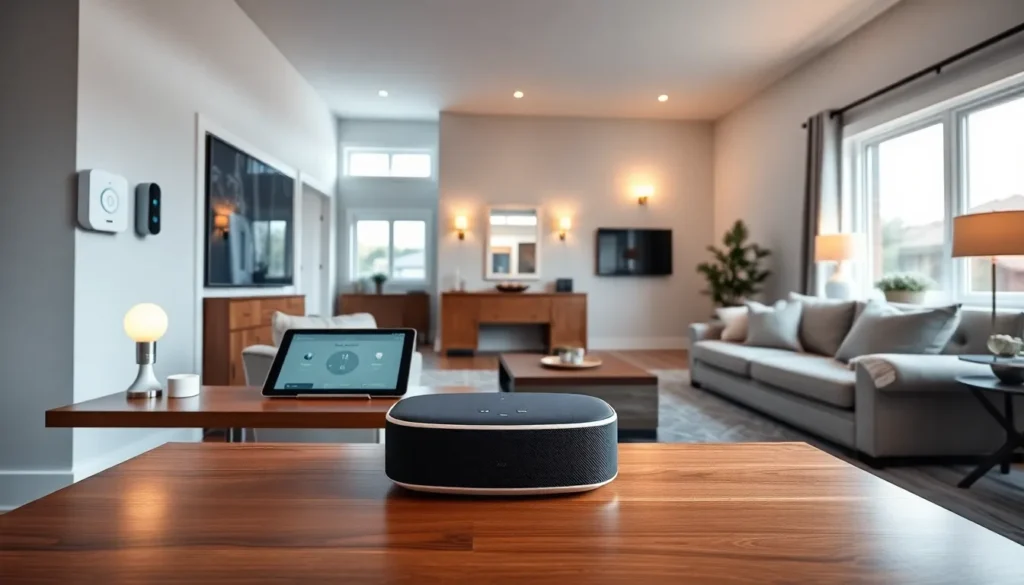
Amazon Echo, Google Nest, and Apple HomePod devices serve as control centers for many smart homes. They respond to voice commands and can manage other connected devices. Users ask them to play music, check weather, set timers, and control lights.
Smart Lighting
Philips Hue, LIFX, and Wyze bulbs let users adjust brightness and color through apps. Many smart home devices in this category support scheduling and can sync with movies or music. They also help reduce energy costs by turning off automatically when rooms are empty.
Smart Thermostats
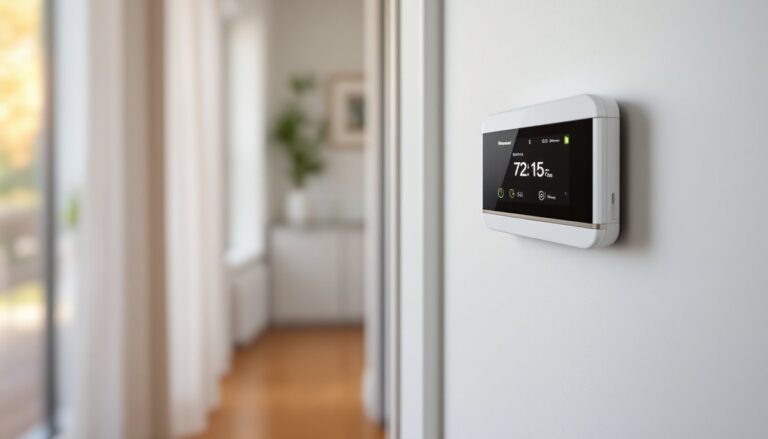
Nest, Ecobee, and Honeywell thermostats learn household patterns and optimize heating and cooling. These smart home devices can cut energy bills by 10-15% according to manufacturer data. They also provide remote access, so users can adjust temperature before arriving home.
Smart Security Systems
Ring, Arlo, and SimpliSafe offer cameras, doorbells, and motion sensors. These smart home devices send alerts when they detect activity. Many include two-way audio, letting homeowners speak to visitors remotely.
Smart Locks and Doorbells
August, Schlage, and Yale make locks that open with codes, fingerprints, or smartphone apps. Smart doorbells show video of visitors and allow remote conversation. These smart home devices eliminate the need for physical keys.
Smart Appliances
Refrigerators, washing machines, and ovens now come with smart features. They send notifications when tasks complete and can be controlled remotely. Some smart home devices in this category even reorder supplies automatically.
Benefits of Using Smart Home Technology
Smart home devices deliver practical advantages that improve daily life in measurable ways.
Convenience and Time Savings
Voice commands eliminate the need to walk across rooms or search for remotes. Users can control multiple smart home devices with a single phrase. Automation handles repetitive tasks like adjusting lights at sunset or locking doors at bedtime.
Energy Efficiency
Smart thermostats and lighting reduce waste by operating only when needed. The Department of Energy reports that smart thermostats save homeowners about $180 per year on average. Smart home devices with energy monitoring help identify which appliances use the most power.
Enhanced Security
Smart cameras and sensors provide 24/7 monitoring. Users receive instant alerts about unusual activity. Smart home devices like video doorbells deter package theft and let homeowners verify visitors before opening doors.
Accessibility
For elderly residents or those with mobility challenges, smart home devices offer independence. Voice control eliminates the need to reach switches or buttons. Automated routines ensure lights and locks operate without physical effort.
Remote Monitoring and Control
Smartphone apps give users control from anywhere. They can check camera feeds, adjust thermostats, or unlock doors for guests while away from home. This remote access provides peace of mind during travel or long work hours.
How to Choose the Right Smart Home Devices
Selecting smart home devices requires attention to compatibility, features, and budget. Here’s what to consider:
Check Ecosystem Compatibility
Smart home devices work best within compatible ecosystems. Amazon Alexa, Google Home, and Apple HomeKit each support different products. Before buying, verify that new smart home devices work with existing equipment. Matter, a new universal standard, promises better cross-platform compatibility.
Prioritize Your Needs
Start with smart home devices that solve specific problems. Security concerns point toward cameras and sensors. High energy bills suggest thermostats and smart plugs. Entertainment enthusiasts benefit from speakers and streaming devices.
Consider Installation Requirements
Some smart home devices plug in and work immediately. Others require wiring or professional installation. Smart thermostats often need a C-wire for power. Smart locks must fit existing door preparations. Check requirements before purchasing.
Evaluate Subscription Costs
Many smart home devices offer premium features through monthly subscriptions. Security cameras may charge for cloud storage. Some smart home devices require subscriptions for full functionality. Factor these ongoing costs into the total investment.
Read User Reviews
Real-world feedback reveals reliability issues that specifications don’t show. Look for comments about Wi-Fi connectivity, app quality, and customer support. Smart home devices with consistent positive reviews typically deliver better experiences.
Setting Up Your Smart Home Ecosystem
Building a smart home takes planning and patience. Follow these steps for a smooth setup:
Start with a Hub or Voice Assistant
A central controller simplifies management of multiple smart home devices. Smart speakers from Amazon or Google serve this purpose well. They provide voice control and connect different brands within one interface.
Secure Your Network
Smart home devices require strong Wi-Fi security. Use a unique, complex password for the router. Consider a separate network for smart home devices to isolate them from computers and phones. Enable two-factor authentication on all accounts.
Add Devices Gradually
Rushing to install many smart home devices at once creates confusion and troubleshooting headaches. Add one or two products at a time. Learn their features before expanding. This approach builds familiarity and reveals compatibility issues early.
Create Automations and Routines
Most smart home devices support automation through their apps or through hub software. Set up routines that trigger multiple actions with one command. A “good night” routine might lock doors, turn off lights, and arm the security system. These automations unlock the true value of smart home devices.
Update Firmware Regularly
Manufacturers release updates that fix bugs and add features. Keep smart home devices current with the latest firmware. Many apps offer automatic updates. Regular updates also patch security weaknesses that hackers could exploit.